

File transfer client for PC
WinSCP is a free and open-source file sharing and management software for PC devices that was developed by WinSCP. It is an FTP client that enables users to copy, share, and manage files between a local computer and a remote server. It also supports other file transfer protocols, including SFTP and SCP.
Similar to other FTP solutions, such as FileZilla and Cyberduck, WinSCP provides users with an easy-to-use graphical user interface to be able to transfer and share their files easily. In addition, it offers support for scripts and even has some simple file manager functionalities for easier management.
What is WinSCP?
WinSCP(derived from its name Windows Secure Copy) is a free and open-source file transfer protocol (FTP) client that was created for the Windows operating system for PCs. Its main function is centered around secure file transfers between a local computer and a remote server. It also supports other file transfer protocols, including WebDAV and Amazon S3.
To secure transfers between computers, WinSCP mainly uses the Secure Shell Protocol (SSH), but the option to use Secure Copy Protocol (SCP) or the SSH File Transfer Protocol (SFTP) is also available if you want. It features a built-in text editor if you need to edit local or remote text files, as well. You can even use a console interface to operate it with various commands.
WinSCP can easily be integrated into Windows and your workflow for a more seamless operation. You can install shell extensions to include functions like drag-and-drop to make it easier to transfer files with it. You can also include a 'Send to' context menu option in Windows File Explorer. If you use PuTTY, both clients can share settings and even some functionalities.
How do I use WinSCP?
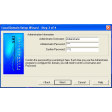
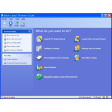
During installation, you will get to choose from two types of user interfaces. The Explorer Interface will be similar to Windows' File Explorer in look and operation. Meanwhile, you can also pick the Commander Interface for more advanced operations utilizing a dual-pane layout. Next, provide the necessary login information, such as host name, user name, and password.
Once done, SCP will open a directory for you wherein you can upload and manage your files. Accessing your server from another machine or giving permission to someone else works the same way. Being the administrator, you only need to provide them with the login information. You can also enable Synchronization so any changes made from a remote server will reflect on your local machine.
Lastly, you can take advantage of scripts and automation functions to help simplify some tasks, such as scheduled file transfers, convert scripts from one client to another, or set certain restrictions or conditions for file transfers. Just a few things that WinSCP could improve on, though. For one, its short connection times often result in forced disconnections. Another is its slow transfer speeds can really use some work.
A good and reliable FTP client
All in all, WinSCP is a capable FTP client for transferring and sharing files between machines. Its user interface is easy to use, there are plenty of features available to you, and it's completely free. If you're looking for a simple and reliable FTP solution, this one is worth checking out.













.png)














User reviews about WinSCP
by Anonymous
good and easy for use program.
Good and easy for use freeware program. I Thumb Up!
Can connect with TOR into Mikrotik RouterBoards.